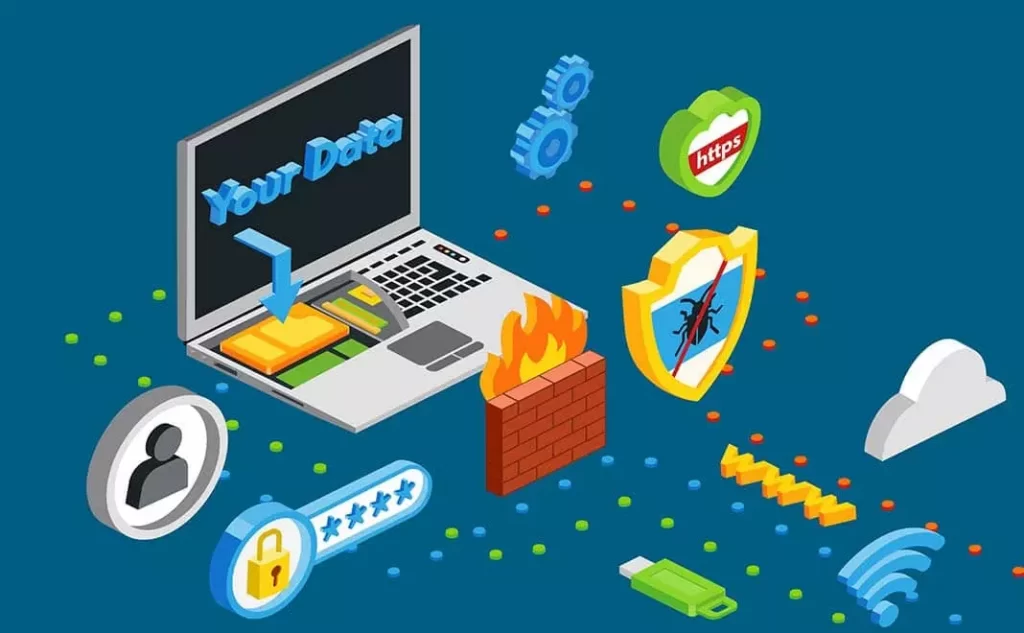
Firewall: The Silent Guardian of Your Digital Security
Have you ever wondered why your computer or smartphone doesn’t instantly get infected with viruses the moment it connects to the internet? Or how large corporations manage to protect their confidential data from millions of cyber threats lurking every second?
The answer lies in a silent yet powerful security technology working tirelessly behind the scenes — the firewall.
In today’s hyper-connected digital age, cyber threats are no longer the stuff of science fiction. Malware, ransomware, data theft, and even digital espionage are real dangers that can strike anyone — from individual users to multinational corporations.
This is where firewalls play a critical role as the first line of defense in our digital systems.
What Is a Firewall? Understanding the Basics
A firewall is a network security system that acts as a barrier between a trusted internal network and an untrusted external network (such as the internet).
Think of a firewall as a highly vigilant security guard — inspecting everyone entering or leaving the building and ensuring only authorized individuals can pass through.
In the digital realm, a firewall monitors and controls incoming and outgoing network traffic based on predefined security rules. Every time data tries to enter or leave your system, the firewall checks whether it meets the security criteria before allowing or blocking it.
The Origin of the Term “Firewall”
The term firewall was originally borrowed from architecture. In buildings, a firewall is a fire-resistant wall designed to prevent the spread of flames between sections.
The same principle applies to cybersecurity — a digital firewall prevents the “fire” of cyber threats from spreading across your system.
Core components that make a firewall work:
- Rule-based filtering: Defines which traffic is allowed or denied
- Packet inspection: Examines data packets in detail
- Logging and monitoring: Records all network activity for analysis
- Alert system: Notifies administrators of suspicious behavior
Firewall Functions: More Than Just Blocking Threats
Most people assume a firewall’s sole purpose is to block unwanted access. In reality, its role is far broader and more sophisticated. Let’s explore the key functions:1. Protecting Against Unauthorized Access
Firewalls prevent hackers or malicious software from gaining unauthorized entry. Every incoming connection request is checked to ensure the source is safe.
How it works:
- Blocks unused ports
- Filters suspicious IP addresses
- Detects known attack patterns
- Restricts access by geographic region
2. Monitoring Network Traffic
Beyond blocking, firewalls continuously observe and record network traffic to identify abnormal patterns that might signal an attack.
They track:
- Data volume (inbound/outbound)
- Source and destination IPs
- Protocol types
- Session duration and timing
- Applications requesting access
3. Blocking Malicious Content
Modern firewalls can filter web content, blocking access to dangerous or inappropriate sites.
Examples include:
- Phishing or scam sites
- Malware-hosting domains
- Adult or NSFW content (for families or workplaces)
- Social media sites (to maintain productivity)
- Torrent or peer-to-peer services
4. Controlling Application Access
Advanced firewalls can identify specific applications trying to use the network, allowing administrators to set app-based rules instead of only port-based ones.
For example:
- Allow Zoom, block Skype
- Limit bandwidth for video streaming
- Block gaming apps during work hours
- Only allow corporate VPNs
5. Preventing Data Leaks
Firewalls also protect outgoing data, preventing sensitive information from leaking — whether accidentally or due to malware.
Techniques include:
- Data Loss Prevention (DLP) policies
- Encryption of outbound traffic
- Blocking suspicious file transfers
- Monitoring email attachments
Types of Firewalls: Choosing the Right One
Not all firewalls are built alike. Understanding their differences helps you choose the right solution for your needs.
1. Packet-Filtering Firewall (Traditional)
The oldest and simplest type — it inspects data packets and compares them against preset rules.
Pros:
- Fast and lightweight
- Low resource consumption
- Easy to configure
- Ideal for small networks
Cons:
- Cannot inspect packet contents
- Vulnerable to modern attacks
- Lacks application awareness
2. Stateful Inspection Firewall
An evolution of packet filtering — this firewall tracks active connections, understanding context beyond individual packets.
Benefits:
- More secure than basic filters
- Tracks connection states
- Efficient traffic management
- Suitable for medium-sized businesses
3. Proxy Firewall (Application-Level Gateway)
Acts as an intermediary between users and the internet — processing all requests before forwarding them.
How it works:
- User sends a request to the proxy
- Proxy validates and forwards it
- Proxy inspects responses before delivering them back
Advantages:
- Masks internal IP addresses
- Enables deep content filtering
- Provides caching for faster access
- Prevents direct internet connections
Limitations:
- May slow connections
- High resource usage
- Complex configuration
4. Next-Generation Firewall (NGFW)
Modern firewalls that combine traditional protection with advanced security features like intrusion prevention, application control, and threat intelligence.
Key Features:
- Deep Packet Inspection (DPI)
- Application control
- Intrusion Prevention System (IPS)
- SSL/TLS inspection
- Real-time threat intelligence
- User identity awareness
Best for:
- Enterprises handling sensitive data
- Organizations under strict compliance
- Complex, high-volume networks
5. Cloud Firewall (Firewall as a Service)
A cloud-based firewall ideal for businesses operating in hybrid or remote environments.
Benefits:
- Scalable and flexible
- No hardware required
- Automatic updates
- Accessible from anywhere
Best for:
- Remote-first companies
- Fast-growing startups
- Multi-cloud environments
Hardware vs. Software Firewalls: Which Is Better?
It depends on your needs.
Hardware Firewalls
Physical devices placed between your internal network and the internet.
Pros:
- High performance for heavy traffic
- Network-wide protection
- Independent of device infection
- Harder to disable or bypass
Cons:
- Higher upfront cost
- Requires technical setup
- Less flexible for mobile users
Ideal for: Offices, enterprises, and high-traffic networks
Software Firewalls
Installed on individual devices as applications.
Pros:
- Affordable and easy to use
- Portable (great for laptops)
- Customizable per device
- Works outside office networks
Cons:
- Consumes system resources
- Must be installed per device
- Can be disabled by malware
Ideal for: Individual users, freelancers, or remote workers
Best Practice: Combine both — a hardware firewall for perimeter defense and software firewalls for endpoint protection.
How a Firewall Works: Behind the Scenes
- Packet Arrival: Data arrives as small packets containing IP addresses, ports, and protocol details.
- Rule Matching: Firewall checks packets against its security rules, applying the first matching rule.
- Deep Inspection: Modern firewalls inspect packet contents for malware signatures or anomalies.
- Decision Making: The packet is either allowed, denied, or logged.
- Logging & Alerts: Suspicious activity triggers alerts and is recorded for analysis.
Example Rules:
Allow traffic from 192.168.1.0/24 to port 443 (HTTPS)
Deny traffic from Chinese IPs to port 22 (SSH)
Allow outbound traffic from Chrome
Deny TikTok access during office hours
Why Everyone Needs a Firewall
Even if you “just browse and use social media,” you’re still a target.
Common Threats:
- Port Scanning: Hackers constantly scan the internet for open ports.
- Brute Force Attacks: Automated attempts to guess passwords.
- Malware Distribution: Infecting devices via unsecured ports.
- Data Exfiltration: Sending stolen data to external servers.
Avoid These Common Firewall Mistakes
X “Set and forget” configuration
X Overly permissive rules
X Ignoring firewall logs
X Using default factory settings
X Skipping firmware updates
X Relying on a single protection layer
Solution: Regular audits, updates, and layered security strategies.
Firewalls in the Cloud and IoT Era
The traditional network perimeter is fading as data and applications move to the cloud.
Modern Solutions:
- Cloud Firewalls (FWaaS): Scalable, always updated
- Micro-segmentation: Isolating workloads
- Zero Trust Architecture: “Never trust, always verify”
- API Gateway Protection: Securing API-based systems
IoT Challenges:
Smart devices often lack robust security, making them prime entry points.
Best Practices for IoT:
- Separate IoT networks (VLANs)
- Create device-specific firewall rules
- Keep firmware updated
- Monitor unusual traffic
Conclusion: A Security Investment You Can’t Ignore
Firewalls are the unsung heroes of cybersecurity — your 24/7 digital guards.
They go beyond simple blocking to provide deep inspection, monitoring, and data protection.
Key Takeaways:
- A firewall is essential, not optional.
- Combine hardware and software for layered defense.
- Proper configuration and maintenance are just as important as technology itself.
- Cloud and IoT environments require updated firewall strategies.
In cybersecurity, proactive protection is always cheaper and safer than post-attack recovery.
So, don’t wait for a breach to happen — secure your systems now.
Digital security isn’t a destination; it’s an ongoing journey. Start with a strong firewall, and keep evolving as threats do.
Reference
Cahyawati, R. K., Fadwa, F., Arum, K. S., & Saputro, I. A. (2023). PERANCANGAN KEAMANAN JARINGAN MENGGUNAKAN METODE FIREWALL SECURITY PORT. https://ojs.amikomsolo.ac.id/index.php/semnasa/article/view/180
Scarfone, K. A., & Hoffman, P. (2009). Guidelines on firewalls and firewall policy. https://doi.org/10.6028/nist.sp.800-41r1


